
Implementing effective home wifi optimization techniques for multiple devices is no longer a luxury but a necessity in 2026 as the average household now manages dozens of concurrent connections. From smart refrigerators and security cameras to high-definition streaming consoles and remote workstations, the demand for seamless bandwidth is at an all-time high. Without a strategic approach to network management, users often experience frustrating latency, signal drops, and reduced throughput. This guide explores the sophisticated methods required to harmonize a dense digital ecosystem, ensuring that every gadget receives the priority and speed it requires. By understanding the underlying physics of radio frequencies and the latest advancements in networking software, you can transform a sluggish connection into a high-performance data highway that supports the diverse needs of a modern smart home without compromise.
Strategic Router Placement and Physical Optimization
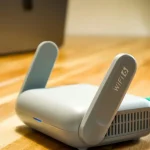
The physical location of your wireless router serves as the foundation for any successful network configuration. To ensure maximum coverage, the device should be positioned in a central, elevated location, ideally away from thick concrete walls or metal obstructions that cause signal attenuation. In 2026, many homeowners forget that everyday appliances like microwaves and cordless phones operate on similar frequencies, leading to electromagnetic interference. By placing the router in an open area, you minimize the number of physical barriers the radio waves must penetrate, which significantly improves the signal-to-noise ratio for all connected hardware. This simple adjustment can often resolve dead zones and provide a more consistent experience for mobile devices moving throughout the property.
Beyond simple centering, the orientation of router antennas plays a critical role in signal propagation. For multi-story homes, angling one antenna horizontally and another vertically can help broadcast the signal across different planes more effectively. It is also vital to keep the router away from other electronic equipment that generates heat or electrical noise, as these factors can degrade internal component performance over time. If your home layout is particularly complex, consider the materials used in your construction; for instance, mirrors and large water features like fish tanks are notorious for reflecting or absorbing Wi-Fi signals. Refining the physical environment is the first step in mastering home wifi optimization techniques for multiple devices before moving into deeper software-based configurations.
Advanced Frequency Management and Band Steering
Modern routers typically offer dual-band or tri-band capabilities, broadcasting on 2.4GHz, 5GHz, and the newer 6GHz frequencies. Effectively managing these bands is crucial for preventing congestion when multiple devices are active simultaneously. The 2.4GHz band provides greater range but lower speeds, making it ideal for low-bandwidth IoT devices like smart bulbs or thermostats. Conversely, the 5GHz and 6GHz bands offer significantly higher data rates but have shorter ranges and less penetration power. By utilizing band steering features, the router can automatically assign devices to the most appropriate frequency based on their distance and data requirements, ensuring that high-demand tasks like 8K streaming do not compete with low-power sensors for the same airtime.
In 2026, the adoption of Wi-Fi 6E and Wi-Fi 7 has introduced the 6GHz band as a pristine lane for high-performance computing. This band is less crowded than its predecessors, offering wider channels that are essential for virtual reality and low-latency gaming. According to technical standards published by the IEEE Spectrum, leveraging these wider channels can quadruple the available throughput in dense environments. To optimize your home network, you should manually audit which devices support these newer standards and ensure they are not stuck on the legacy 2.4GHz band. This proactive segmentation reduces the “airtime fairness” issues where a single slow device can drag down the performance of the entire wireless network.
Implementing Quality of Service and Traffic Shaping
Quality of Service (QoS) is one of the most powerful home wifi optimization techniques for multiple devices available in modern firmware. This feature allows administrators to prioritize specific types of traffic or specific devices over others. For example, you can set your work laptop and gaming console as high-priority devices, ensuring they receive bandwidth first during periods of high network strain. This prevents a background cloud backup on a smartphone from causing lag during a critical video conference or an intense multiplayer match. Most contemporary routers include “Auto-QoS” which uses deep packet inspection to identify the type of data being transmitted and adjusts the queue accordingly without manual intervention.
Traffic shaping goes a step further by capping the maximum bandwidth available to certain non-essential devices. In a household where multiple people are downloading large files or streaming 4K content, traffic shaping ensures that no single user monopolizes the entire connection. This creates a balanced environment where the “bufferbloat” phenomenon is minimized. By configuring these settings, you essentially create a managed traffic system where emergency vehicles (priority data) have a dedicated lane, while standard traffic (background updates) follows at a regulated pace. This level of control is indispensable for maintaining a high-quality user experience across a diverse array of hardware in a high-density digital home.
Transitioning to Mesh Systems and Wi-Fi 7
For larger homes where a single router cannot provide adequate coverage, transitioning to a mesh network is the most effective solution. Unlike traditional range extenders that create separate network names and cut bandwidth in half, mesh nodes work in unison to create a single, seamless fabric of connectivity. These systems use a dedicated backhaul—either wireless or wired—to communicate between nodes, ensuring that the signal remains strong even at the furthest edges of the property. In 2026, mesh systems have become the standard for home wifi optimization techniques for multiple devices, as they intelligently hand off connections from one node to another as you move, preventing the momentary disconnections typical of older technology.
Comparison of Network Expansion Technologies
| Feature | Traditional Extender | Mesh Wi-Fi System | Powerline Adapter |
|---|---|---|---|
| Signal Seamlessness | Poor (Manual Handoff) | Excellent (Auto Handoff) | Moderate |
| Bandwidth Retention | Low (50% Loss) | High (Dedicated Backhaul) | Variable (Wiring Quality) |
| Setup Complexity | Moderate | Simple (App-based) | Simple (Plug & Play) |
| Device Capacity | Low | Very High | Moderate |
The evolution of Wi-Fi 7 has further enhanced mesh capabilities by introducing Multi-Link Operation (MLO). This allows devices to send and receive data across different frequency bands and channels simultaneously. This technology is a game-changer for households with dozens of active devices, as it drastically reduces latency and increases reliability. When selecting hardware, it is important to consult resources like the FCC regarding spectrum allocations to understand how new bands affect local interference. Investing in a mesh system with Wi-Fi 7 support ensures that your home infrastructure remains future-proof and capable of handling the exponential growth of data consumption expected in the coming years.
Security Protocols and Firmware Maintenance
Security and performance are intrinsically linked in the realm of wireless networking. An unsecured or poorly protected network is susceptible to “piggybacking,” where unauthorized users consume your bandwidth, leading to significant slowdowns. Implementing the WPA3 encryption protocol is essential for modern home wifi optimization techniques for multiple devices, as it provides more robust protection against brute-force attacks compared to the aging WPA2 standard. Furthermore, a secure network prevents malware from infecting connected IoT devices, which could otherwise be harnessed into botnets that consume upload bandwidth and degrade overall network responsiveness for legitimate tasks.
Regular firmware updates are equally critical for maintaining peak performance. Manufacturers frequently release patches that optimize the routing algorithms, fix bugs related to device compatibility, and address emerging security vulnerabilities. Many modern routers can be set to update automatically during overnight hours to minimize disruption. Beyond security, these updates often include improvements to the MU-MIMO (Multi-User, Multiple-Input, Multiple-Output) scheduling, which allows the router to communicate with multiple devices at the exact same time rather than sequentially. Keeping your software current ensures that you are utilizing the most efficient code available to manage your complex web of connected hardware.
Manual Channel Selection and Interference Mitigation
In crowded residential areas, such as apartment complexes, Wi-Fi congestion is often caused by neighboring networks operating on the same channels. While most routers have an “Auto” channel selection feature, it is often beneficial to perform a manual site survey using a Wi-Fi analyzer tool. By identifying which channels are the least congested, you can manually lock your router into a “clear lane.” For the 2.4GHz band, channels 1, 6, and 11 are the only non-overlapping options and should be prioritized. On the 5GHz and 6GHz bands, there are significantly more channels available, but choosing one with “DFS” (Dynamic Frequency Selection) capabilities can provide even more breathing room by utilizing frequencies typically reserved for radar.
Interference mitigation also involves managing the physical environment and the settings of the devices themselves. For example, disabling legacy protocols like 802.11b/g can improve the efficiency of the entire network, as the router no longer has to maintain backward compatibility with ancient, slow hardware that consumes excessive airtime. Additionally, reducing the channel width (e.g., from 80MHz to 40MHz) in extremely noisy environments can sometimes result in a more stable, albeit slightly slower, connection. Mastering these home wifi optimization techniques for multiple devices requires a balance between raw speed and connection stability, ensuring that the network remains functional even in the most challenging radio frequency environments.
Key Takeaways
- Centralize Hardware: Place your router in an elevated, central location to minimize physical obstructions and signal degradation.
- Segment Frequencies: Use the 2.4GHz band for IoT devices and reserve 5GHz/6GHz bands for high-bandwidth tasks like gaming and streaming.
- Prioritize via QoS: Enable Quality of Service settings to ensure critical work and gaming devices receive bandwidth priority during peak usage.
- Adopt Mesh Systems: Replace single routers with mesh networks to eliminate dead zones and provide seamless roaming in larger homes.
- Update Regularly: Maintain the latest firmware and use WPA3 security to protect bandwidth from unauthorized users and improve device handling.
- Analyze Channels: Manually select non-overlapping channels to avoid interference from neighboring wireless networks in dense areas.
Frequently Asked Questions
How many devices can a standard modern router handle?
Most mid-range routers in 2026 can theoretically support up to 100 to 150 devices, but performance often degrades after 30 to 40 active connections. For households exceeding this number, high-end tri-band routers or mesh systems are recommended to distribute the processing load and maintain high speeds across all hardware.
Does hiding my SSID improve network performance?
No, hiding your SSID (Network Name) does not improve performance and can actually cause connection issues with some devices. It provides a false sense of security while making it harder for your own devices to reconnect quickly after a signal drop or power cycle.
Will a Wi-Fi 7 router work with my older Wi-Fi 5 devices?
Yes, Wi-Fi 7 is backward compatible with all previous Wi-Fi generations. While your older devices won’t benefit from the maximum speeds of the new standard, they will often see improved stability due to the better processing power and interference handling of the newer router hardware.
Is a wired backhaul necessary for a mesh network?
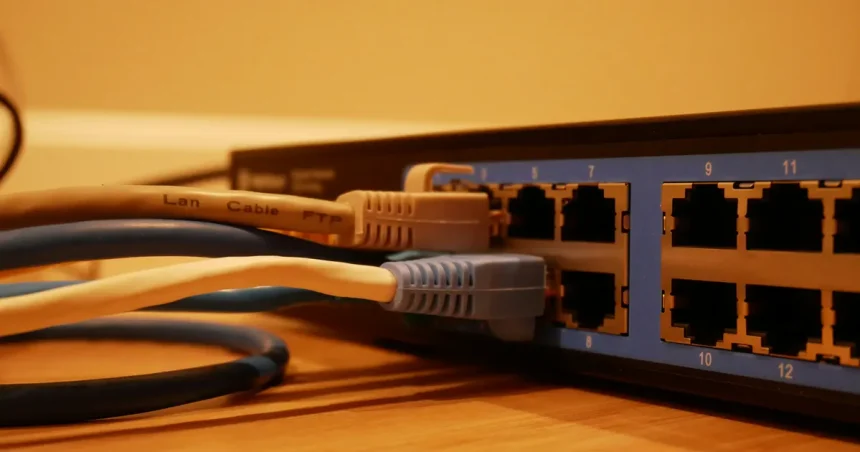
While not strictly necessary, a wired Ethernet backhaul is highly recommended for the best performance. It frees up the wireless bands for your devices by moving the node-to-node communication to a physical cable, resulting in much higher speeds and lower latency at the satellite nodes.
How often should I reboot my router for optimization?
In 2026, most modern routers are designed to run for months without needing a reboot. However, a monthly restart can help clear out memory leaks or temporary software glitches. Many routers now include a “scheduled reboot” feature that can be set to run at 3:00 AM once a week.
Conclusion
Achieving peak performance in a household full of technology requires a multi-faceted approach that combines physical placement, intelligent software configuration, and modern hardware standards. By implementing these home wifi optimization techniques for multiple devices, you can ensure that your network remains resilient against the increasing demands of the digital age. Whether it is through the strategic use of QoS, the expansion of coverage via mesh nodes, or the careful selection of wireless channels, the goal is to create a frictionless environment where technology serves you without interruption. As we move further into 2026, staying informed about these networking advancements will remain the best way to maintain a fast, secure, and reliable home connection.