
Ensuring a robust and reliable internet connection is paramount in today’s digital landscape, yet many users unknowingly fall victim to common broadband installation mistakes affecting performance. These seemingly minor errors, often made during the initial setup, can significantly degrade internet speeds, lead to persistent connectivity issues, and ultimately diminish the user experience. From incorrect router placement to overlooked cabling details, understanding these pitfalls is the first step toward optimizing your home network. This comprehensive guide will delve into the most prevalent installation missteps, providing actionable insights to help you diagnose, prevent, and rectify problems, ensuring your broadband connection delivers its full potential well into 2026 and beyond.
Incorrect Router Placement
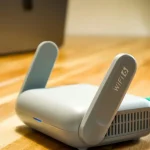
One of the most frequent culprits behind sluggish internet speeds and patchy Wi-Fi coverage stems from suboptimal router placement. Many users simply plug their router into the nearest available outlet, often in a corner, inside a cabinet, or near other electronics, without considering its critical role in signal dissemination. Wi-Fi signals are radio waves that can be easily obstructed by physical barriers like thick walls, floors, and large appliances, leading to significant signal degradation. Placing your router in a central, elevated location within your home, away from obstructions, can dramatically improve coverage and throughput, minimizing dead zones and ensuring a stronger connection across all devices.
Furthermore, the proximity of other electronic devices can introduce electromagnetic interference, further weakening your Wi-Fi signal. Cordless phones, microwaves, baby monitors, and even certain fluorescent lights operate on similar frequency bands (2.4 GHz) and can actively disrupt your router’s performance. It is crucial to position your router a reasonable distance from these potential interference sources. Experimenting with different central locations, perhaps on an open shelf or mounted higher up, can reveal the optimal spot for your specific home layout, directly impacting the overall broadband performance and user satisfaction.
Suboptimal Cabling Choices
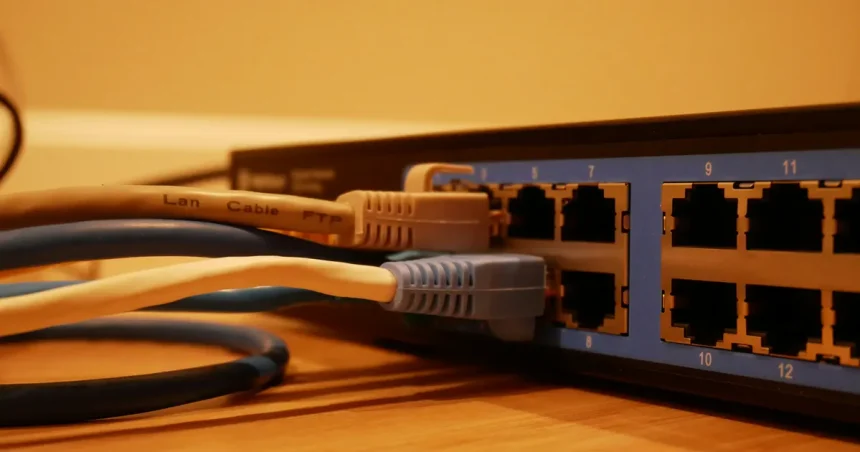
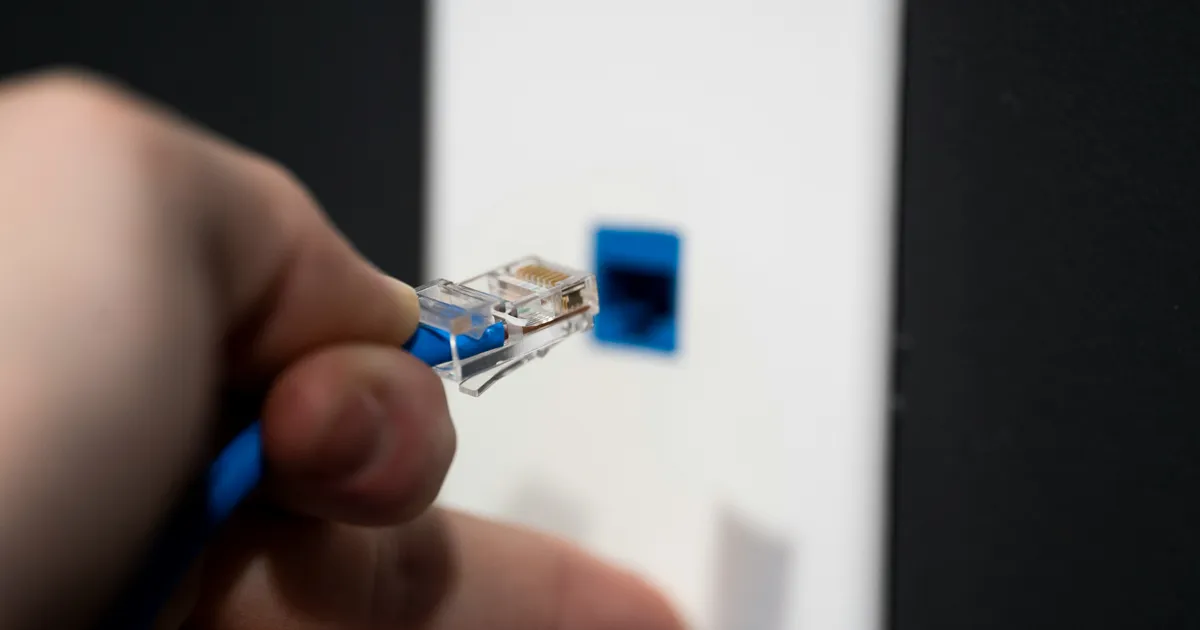
The type and quality of cabling used in your broadband installation play a pivotal, yet often underestimated, role in determining network performance. Many common broadband installation mistakes affecting performance originate from using outdated, damaged, or incorrect cables. For instance, relying on an old, coiled Ethernet cable from a previous setup might introduce signal loss, especially over longer distances. Similarly, using unshielded twisted pair (UTP) cables in environments with high electromagnetic interference can lead to data corruption and slower speeds compared to shielded twisted pair (STP) options. Investing in high-quality, properly rated Ethernet cables (e.g., Cat5e, Cat6, or Cat6a for gigabit speeds) is essential for maximizing wired connections.
Beyond Ethernet, the quality of the coaxial cable connecting your modem to the wall outlet (for cable internet) or the fiber optic patch cable (for fiber internet) is equally critical. Kinks, sharp bends, or excessive length in these primary connection cables can introduce significant signal attenuation, directly impacting the data transfer rate your modem receives. Always ensure these cables are in excellent condition, are of appropriate length, and are securely connected without being overly strained. Inspecting and upgrading these fundamental components can often resolve persistent speed issues that no amount of router tweaking can fix, ensuring a robust foundation for your entire network.
Wi-Fi Interference Issues
Even with perfect router placement and optimal cabling, Wi-Fi interference remains a pervasive challenge among common broadband installation mistakes affecting performance. Wireless signals are susceptible to interference from a multitude of sources, both within and outside your home. Neighboring Wi-Fi networks, especially in densely populated areas like apartment buildings, often compete for channels on the 2.4 GHz band, leading to congestion and reduced speeds. Tools like Wi-Fi analyzer apps can help identify less congested channels, allowing you to manually adjust your router settings for better performance.
The 5 GHz band, while offering faster speeds and less congestion, has a shorter range and is more susceptible to attenuation by physical obstacles. Choosing the right band for specific devices and locations is key to mitigating interference. Furthermore, non-Wi-Fi devices, as mentioned previously, can also be major culprits. Bluetooth devices, security cameras, and even older microwave ovens can emit signals that clash with your Wi-Fi. Regularly scanning for and eliminating these interference sources, along with ensuring your router’s firmware is up-to-date for optimal channel management in 2026, can significantly improve the stability and speed of your wireless network.
Overlooking Modem/Router Compatibility
A frequently overlooked aspect during broadband installation that significantly impacts performance is the compatibility and capability of your modem and router. Many users assume any modem or router will suffice, but this is a critical common broadband installation mistake affecting performance. An outdated modem, for instance, might not support the latest data transfer standards offered by your ISP, effectively throttling your potential speeds even if you’re paying for a high-tier plan. Similarly, a router that lacks sufficient processing power or antenna strength can become a bottleneck, especially in homes with multiple connected devices or demanding applications like 4K streaming and online gaming.
It is essential to ensure your hardware is compatible with your internet service provider’s technology and your subscribed speed tier. Consult your ISP’s recommended device list or specifications to verify your equipment meets the necessary standards. Upgrading to a modern, high-performance modem and router combo, or separate units with advanced features like Wi-Fi 6 (802.11ax) for future-proofing in 2026, can unlock the full potential of your internet connection and prevent frustrating speed discrepancies.
Understanding DOCSIS Standards
For cable internet users, understanding DOCSIS (Data Over Cable Service Interface Specification) standards is crucial for optimal performance. DOCSIS is the technology that allows cable modems to transmit data over existing cable TV infrastructure. Using an older DOCSIS 2.0 or 3.0 modem when your ISP offers DOCSIS 3.1 speeds is a prime example of an installation mistake that bottlenecks performance. A DOCSIS 3.1 modem can handle significantly higher upload and download speeds, offering better channel bonding and efficiency. Ensuring your modem supports the latest DOCSIS standard compatible with your ISP’s network is paramount to achieving the advertised speeds and preventing your hardware from becoming the weakest link in your broadband chain. Check with your internet provider or refer to official resources like CableLabs for the most current information on DOCSIS standards and compatible devices.
Neglecting Firmware Updates and Configuration
Even with top-tier hardware, neglecting firmware updates and proper configuration is among the common broadband installation mistakes affecting performance. Router and modem manufacturers regularly release firmware updates to patch security vulnerabilities, improve stability, and enhance performance features. Running outdated firmware can lead to various issues, including reduced speeds, frequent disconnections, and susceptibility to cyber threats. It’s a simple yet critical maintenance task that many users overlook, assuming their devices will simply work optimally out of the box indefinitely.
Beyond firmware, the initial configuration of your router can significantly impact your network’s efficiency. Default settings are often generic and not optimized for individual home environments. Adjusting settings such as Wi-Fi channel selection, enabling Quality of Service (QoS) for prioritizing critical traffic (like video calls or gaming), and correctly setting up security protocols can make a substantial difference. Regularly logging into your router’s administration panel to check for updates and fine-tune settings ensures your network operates at its peak, providing a secure and fast experience. For further guidance on optimizing router settings, reliable tech resources like CNET’s router optimization guides can be invaluable.
DIY Installation Pitfalls
While many internet service providers offer self-installation kits to save on technician fees, attempting a DIY setup without proper knowledge can lead to numerous common broadband installation mistakes affecting performance. Incorrectly connecting cables, overlooking crucial setup steps, or misconfiguring software can result in a connection that is either non-functional or severely underperforming. For instance, failing to properly activate the modem with the ISP, or using the wrong type of splitter for coaxial connections, can introduce significant signal loss and connectivity issues. These errors often require a professional technician to rectify, costing more in the long run than the initial savings.
Even seemingly minor details, like using an ungrounded power strip or placing the modem in an area with poor ventilation, can contribute to intermittent issues or hardware failure over time. Before embarking on a self-installation, thoroughly read all instructions provided by your ISP and consider watching official setup guides. If you encounter persistent issues, do not hesitate to contact your ISP’s technical support or schedule a professional installation. A properly installed system from the start can save considerable frustration and ensure consistent, high-quality broadband performance.
Key Takeaways
- Optimal router placement is crucial; central, elevated locations minimize signal obstruction.
- High-quality, correctly rated cabling (Ethernet, coaxial, fiber) prevents signal degradation.
- Mitigate Wi-Fi interference from neighboring networks and other electronics by adjusting channels or bands.
- Ensure your modem and router are compatible with your ISP’s technology and speed tier, especially DOCSIS standards.
- Regularly update router firmware and optimize settings like QoS and channel selection for peak performance.
- Avoid DIY installation pitfalls by following instructions carefully or opting for professional setup to prevent common broadband installation mistakes affecting performance.
Frequently Asked Questions
Why is my internet slow despite paying for high speeds?
Slow internet speeds often result from common broadband installation mistakes affecting performance, such as poor router placement, outdated modem/router hardware, Wi-Fi interference, or suboptimal cabling. Your hardware might not be compatible with your subscribed speed, or there could be issues with your router’s configuration or firmware. Diagnosing these specific issues is key to resolving the problem and getting the speeds you pay for.
How can I check for Wi-Fi interference in my home?
You can check for Wi-Fi interference using dedicated Wi-Fi analyzer apps available for smartphones or computers. These apps scan for nearby networks and display channel usage, helping you identify congested channels and choose a less crowded one for your router. Additionally, move electronics like microwaves and cordless phones away from your router to reduce electromagnetic interference.
Is it better to use my ISP’s modem/router or buy my own?
While using your ISP’s equipment ensures compatibility and often includes support, buying your own can offer more control, potentially better performance, and eliminate rental fees. If you choose to buy your own, ensure it’s fully compatible with your ISP’s service and supports the latest standards like DOCSIS 3.1 for cable or Wi-Fi 6 for wireless. Always check your ISP’s approved hardware list, for example, on a page like Xfinity’s approved devices list.
How often should I update my router’s firmware?
You should check for and apply router firmware updates periodically, ideally every few months or whenever your manufacturer releases a new version. Firmware updates often include crucial security patches, bug fixes, and performance enhancements. Keeping your firmware current helps maintain optimal network stability and security, crucial for robust broadband performance in 2026.
Can old Ethernet cables really affect my internet speed?
Yes, absolutely. Old, damaged, or low-quality Ethernet cables can significantly impact your internet speed and network stability. Cables that are not rated for your current speed (e.g., using Cat5 for gigabit internet), or those with kinks, fraying, or poor connectors, can introduce signal loss and errors, leading to slower wired connections and overall degraded broadband performance.
Conclusion
Navigating the complexities of broadband installation doesn’t have to be a source of frustration. By understanding and actively addressing common broadband installation mistakes affecting performance, users can unlock the full potential of their internet service. From strategic router placement and conscientious cabling choices to proactive interference management and diligent hardware maintenance, each step contributes to a more stable and faster connection. Avoiding these pitfalls ensures not only immediate improvements but also a future-proof network capable of handling the demands of 2026 and beyond. A little attention to detail during setup can save countless hours of troubleshooting and provide the seamless online experience everyone deserves.