
Finding the best dual band settings for faster connectivity is essential for anyone looking to optimize their home or office network in 2026. As our reliance on high-bandwidth applications like 8K streaming, cloud gaming, and virtual reality grows, a standard out-of-the-box router configuration often fails to deliver peak performance. Modern routers operate on two primary frequencies—2.4GHz and 5GHz—each offering distinct advantages regarding range and data throughput. By fine-tuning these specific frequency bands, users can significantly reduce latency and eliminate frustrating dead zones. This guide provides a deep dive into the technical adjustments necessary to transform a sluggish connection into a robust, high-speed pipeline. Understanding how to navigate these settings is the first step toward a seamless digital experience in an increasingly connected world where every millisecond counts for productivity and entertainment.
Maximizing Speed with Proper Frequency Allocation
The fundamental step in optimizing your wireless network involves understanding the physical properties of the 2.4GHz and 5GHz bands. The 2.4GHz band is known for its ability to penetrate solid objects like walls and floors, making it ideal for devices located far from the router. However, it is highly susceptible to interference from household appliances like microwaves and cordless phones. To achieve the best dual band settings for faster connectivity, you should reserve the 2.4GHz band for low-bandwidth devices such as smart light bulbs, thermostats, and older printers. This prevents these slower devices from congesting the more efficient 5GHz lane, which is designed for high-speed data transfers.
In contrast, the 5GHz band offers significantly higher data rates but has a much shorter effective range. Because it operates at a higher frequency, it cannot pass through obstacles as easily as its lower-frequency counterpart. For the most stable experience, you should connect your primary workstations, gaming consoles, and streaming devices to the 5GHz band. Modern networking standards, managed by organizations like the Wi-Fi Alliance, have introduced technologies that allow routers to handle multiple streams simultaneously. By separating your devices based on their bandwidth needs and proximity to the access point, you ensure that high-priority traffic remains uninterrupted by background smart home signals.
Choosing Non-Overlapping Channels for Stability
Interference is the primary enemy of high-speed internet, and selecting the correct channel is vital for maintaining a clean signal. In the 2.4GHz spectrum, there are only three non-overlapping channels: 1, 6, and 11. Most routers are set to “Auto” by default, which can lead to frequent channel hopping and temporary connection drops. By manually locking your router into one of these three channels after performing a site survey with a Wi-Fi analyzer, you can avoid the “noise” generated by neighboring networks. This manual intervention is a cornerstone of the best dual band settings for faster connectivity because it provides a dedicated path for your data to travel without collision.
The 5GHz band offers a much wider array of channels, which significantly reduces the likelihood of interference from nearby routers. When configuring this band, it is generally safer to use lower channels like 36, 40, 44, or 48 for standard home use. However, some advanced routers allow access to DFS (Dynamic Frequency Selection) channels, which are often less crowded but may be subject to interference from radar systems. If you live in a densely populated apartment complex, scanning for the least occupied 5GHz channel can result in a dramatic increase in throughput. Consistent monitoring of your local RF environment ensures that your settings remain optimal as new networks appear in your vicinity.
Optimizing Channel Width for Enhanced Throughput
Channel width, measured in MHz, determines the “size” of the pipe through which your data flows. For the 2.4GHz band, it is almost always best to stick with a 20MHz channel width. While 40MHz is an option, it often causes more harm than good by overlapping with almost every other available channel in the spectrum, leading to severe interference and reduced speeds. In the context of 2026 networking standards, the 2.4GHz band should be treated as a reliability-first frequency where stability is prioritized over raw speed. Keeping the width narrow ensures that your smart home devices remain connected even in a noisy electromagnetic environment.
The 5GHz band is where you can truly open the throttle by increasing the channel width to 80MHz or even 160MHz on compatible hardware. A wider channel allows for more data to be transmitted simultaneously, which is critical for downloading large files or streaming high-definition content. However, be aware that wider channels are more susceptible to interference because they occupy a larger portion of the frequency spectrum. If you notice your connection becoming unstable at 160MHz, dropping back to 80MHz often provides the best dual band settings for faster connectivity by balancing high speed with reliable signal integrity. Testing different widths is the only way to find the “sweet spot” for your specific home layout.
Advanced Settings for Gaming and Streaming
For users who prioritize low latency, enabling features like Quality of Service (QoS) can be a game-changer. QoS allows you to tell the router which types of traffic are most important, ensuring that a large file download on one computer doesn’t cause lag during a competitive gaming session on another. Additionally, ensuring that “Airtime Fairness” is enabled can prevent older, slower devices from hogging the bandwidth and slowing down the entire network. These granular controls are essential for power users who demand the highest possible performance from their dual-band hardware in a multi-user household.
Leveraging MU-MIMO and Beamforming Technology
Multi-User, Multiple-Input, Multiple-Output (MU-MIMO) is a revolutionary technology that allows a router to communicate with multiple devices simultaneously rather than sequentially. In older router models, devices had to wait their turn to receive data, which created a bottleneck as more gadgets were added to the network. By enabling MU-MIMO in your router settings, you effectively increase the efficiency of your 5GHz band. This is particularly important in 2026, as the average household now contains dozens of connected devices. This setting ensures that your best dual band settings for faster connectivity are fully utilized by distributing data streams more effectively across all active hardware.
Beamforming is another critical feature that should be enabled to improve signal strength and speed. Unlike traditional antennas that broadcast a signal in all directions, beamforming allows the router to identify the location of a specific device and direct a concentrated beam of data toward it. This results in a stronger signal at longer distances and better penetration through obstacles. When combined with MU-MIMO, beamforming creates a highly efficient environment where data is delivered directly to the user with minimal waste. Checking your router’s advanced wireless settings to ensure these features are toggled on is a simple yet powerful way to boost your overall network performance.
Strategic Router Placement and Physical Optimization
No amount of software tweaking can overcome the limitations of poor physical placement. To get the most out of your dual-band settings, the router should be placed in a central, elevated location. Placing a router inside a cabinet or behind a television can significantly degrade the 5GHz signal, which is already sensitive to physical barriers. Ideally, the router should be in the room where you use the most bandwidth, with a clear line of sight to your primary devices. Avoiding proximity to metal objects and other electronics will also reduce passive interference that can bleed into your wireless channels and slow down your connection.
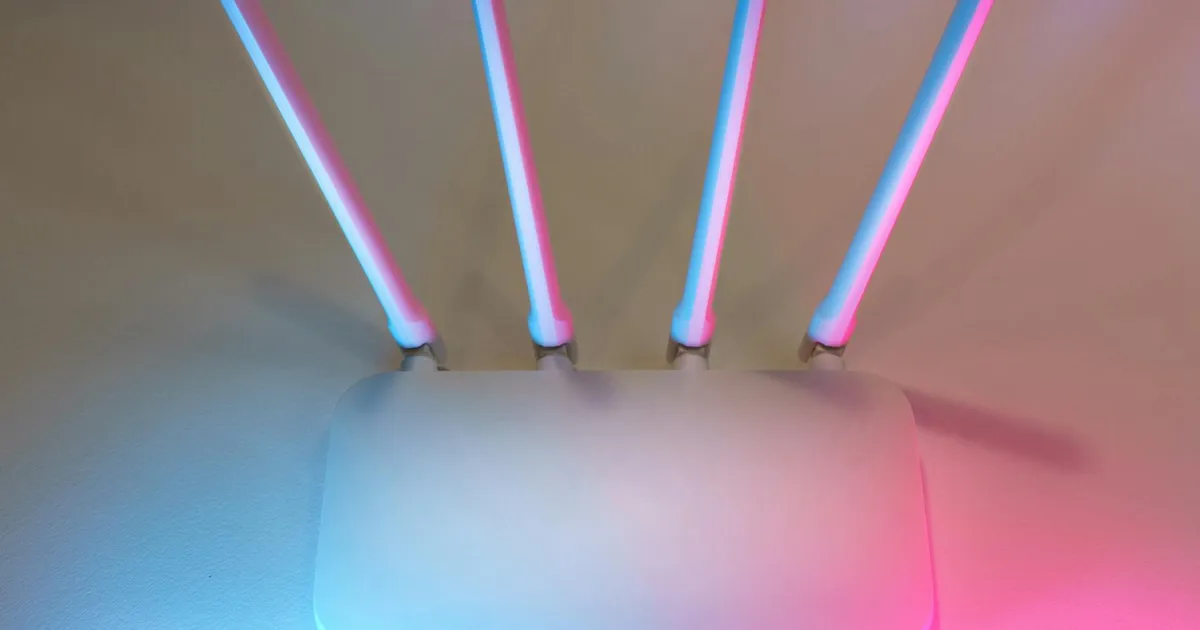
External antennas should also be positioned correctly to maximize coverage. If your router has multiple antennas, it is often recommended to stagger their angles—positioning one vertically and one horizontally—to cover different planes of signal propagation. This physical optimization works in tandem with your digital settings to ensure that the 5GHz band reaches as far as possible. If you find that the signal is still weak in certain areas of your home, consider using a wired backhaul for access points rather than relying solely on wireless repeaters. This ensures that the best dual band settings for faster connectivity are maintained throughout the entire premises without the latency penalties associated with standard mesh hops.
Security Protocols and Firmware Maintenance
Maintaining the security of your network is just as important as optimizing its speed. Using the WPA3 encryption standard is highly recommended in 2026, as it provides superior protection against brute-force attacks compared to the aging WPA2 protocol. A secure network is often a faster network, as it prevents unauthorized users from leeching your bandwidth and slowing down your connection. Furthermore, many routers receive performance updates through firmware patches that optimize how the dual-band radios handle traffic. Regularly checking for and installing these updates is a vital part of maintaining the best dual band settings for faster connectivity over the lifespan of your hardware.
Finally, consider disabling legacy protocols such as 802.11b or 802.11g if your devices support newer standards. Supporting these ancient protocols forces the router to reserve resources for backward compatibility, which can introduce overhead and slow down modern devices. By setting your router to “N/AC/AX only” mode, you streamline the communication process and ensure that the hardware is operating at its most efficient level. This proactive approach to network management, combined with the latest security standards from the Federal Communications Commission, creates a safe and lightning-fast environment for all your digital activities.
Key Takeaways
- Use the 2.4GHz band for smart home devices and the 5GHz band for high-speed tasks like gaming and streaming.
- Manually select non-overlapping channels (1, 6, or 11) for the 2.4GHz band to minimize interference.
- Set the 5GHz channel width to 80MHz or 160MHz to maximize data throughput in clear environments.
- Enable MU-MIMO and Beamforming to allow the router to handle multiple devices more efficiently.
- Keep your router in a central, elevated position and update firmware regularly to ensure peak performance in 2026.
- Use WPA3 security to protect your bandwidth from unauthorized users and ensure network integrity.
Frequently Asked Questions
Which band is better for gaming, 2.4GHz or 5GHz?
The 5GHz band is significantly better for gaming because it offers higher speeds and much lower latency. While the 2.4GHz band has a better range, the interference and congestion on that frequency often lead to “lag spikes” that can ruin a competitive gaming experience. For the best results, stay within a reasonable distance of your router when using 5GHz.
How do I know which Wi-Fi channel is the least crowded?
You can use a Wi-Fi analyzer app on your smartphone or a specialized software tool on your laptop to scan the local airwaves. These tools provide a visual representation of all nearby networks and the channels they are occupying. Look for the “valleys” in the graph where fewer networks are active and set your router to those specific channels.
Does increasing channel width always make the internet faster?
Not necessarily. While a wider channel like 160MHz can carry more data, it is also more prone to interference. In a crowded area like an apartment building, a wider channel might actually result in slower speeds due to packet loss and retransmissions. If you experience instability, dropping the width back to 40MHz or 80MHz is often the better choice.
What is the benefit of WPA3 over WPA2?
WPA3 provides much stronger encryption and makes it significantly harder for hackers to crack your Wi-Fi password. It also offers better protection for users on open networks and simplifies the process of connecting devices that don’t have a display. In 2026, WPA3 is the standard for both security and modern network compatibility.
Should I give my 2.4GHz and 5GHz bands the same name?
This feature is called “Smart Connect” or “Band Steering.” While it simplifies things by having only one SSID, it can sometimes cause devices to “stick” to the slower 2.4GHz band even when they are close to the router. For total control and the fastest speeds, many experts recommend giving each band a unique name so you can manually choose the best connection.
Conclusion
Optimizing your home network requires a balance of technical configuration and physical awareness. By implementing the best dual band settings for faster connectivity, such as selecting non-overlapping channels, adjusting channel widths, and enabling MU-MIMO, you can future-proof your network for the demands of 2026. Remember that every home environment is unique; what works in a rural house may not work in a dense urban high-rise. Regularly testing your speeds and staying updated with the latest firmware will ensure that your digital life remains fast, secure, and uninterrupted by the limitations of default settings.