
Navigating the digital landscape for your connected abode requires precise planning, and understanding the best internet speed recommendations for smart homes is paramount for seamless operation and optimal user experience. As the number of smart devices in our households continues to grow exponentially, from smart thermostats and lighting systems to security cameras and voice assistants, the demand on our home networks intensifies. A robust and reliable internet connection is no longer a luxury but a fundamental necessity for an efficient smart home ecosystem. This comprehensive guide will delve into the intricacies of smart home bandwidth requirements, offering expert insights and actionable advice to ensure your smart devices communicate flawlessly, avoiding frustrating lags and disconnections that can undermine the very convenience they promise.
Understanding Smart Home Bandwidth Needs
The foundation of any high-performing smart home lies in a clear understanding of its collective bandwidth requirements. Each smart device, whether it’s constantly streaming data or merely sending occasional status updates, consumes a portion of your available internet speed. Devices like 4K security cameras, which continuously upload high-definition video, or smart TVs streaming Ultra HD content, are significant bandwidth hogs. Conversely, smart plugs or light bulbs use very little data, typically just a few kilobytes for commands. The aggregated demand from all these devices dictates the minimum download and upload speeds you’ll need to maintain a responsive and reliable smart home environment without bottlenecks.
Estimating your total smart home bandwidth involves more than just adding up individual device requirements; it also considers concurrent usage patterns. For instance, if you have multiple family members streaming video, participating in video calls, and gaming simultaneously while your smart security cameras are recording, the cumulative demand can quickly exceed a basic internet plan. It’s crucial to account for peak usage scenarios rather than just average daily activity. A proactive approach to assessing your current and future smart device count, along with their data demands, will prevent frustrating slowdowns and ensure your smart home remains truly intelligent and responsive, enhancing your daily life rather than complicating it.
Essential Devices and Their Speed Demands
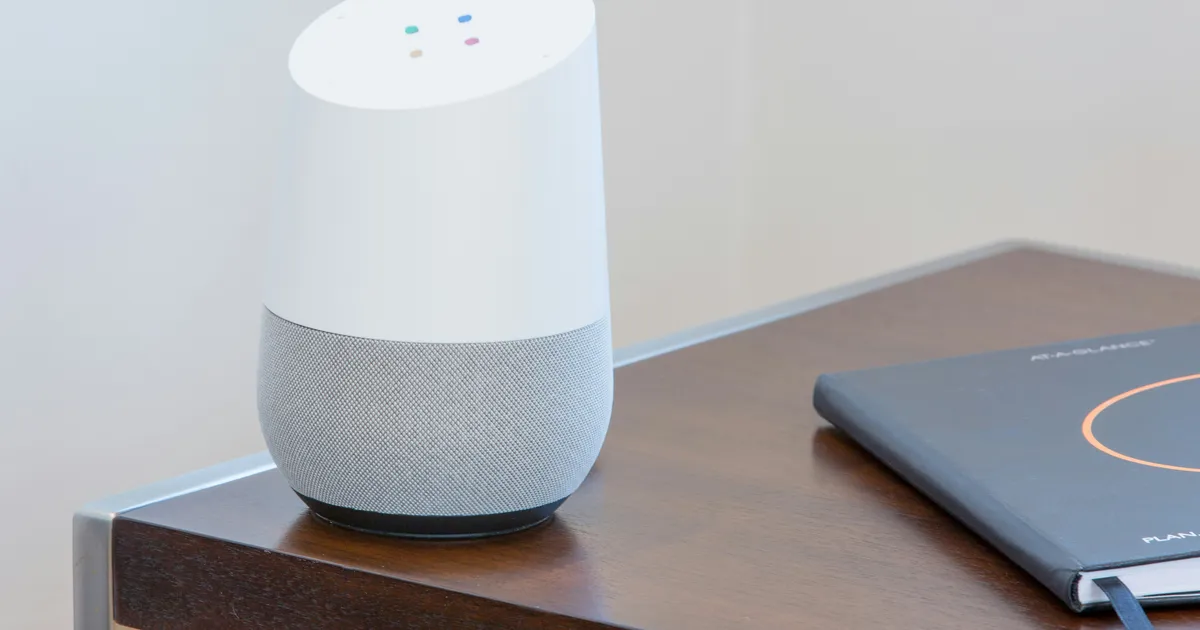
The diverse array of smart home devices each places unique demands on your internet connection. Smart thermostats and lighting systems, for example, typically require very little bandwidth, often just a few kilobits per second (Kbps) for commands and status updates, making them negligible contributors to overall network congestion. However, devices that handle media or security often require significantly more. Smart speakers and voice assistants, while generally low-bandwidth for commands, can consume more when streaming music or podcasts continuously.
High-bandwidth devices are primarily those involved in data-intensive tasks. Smart security cameras, especially those offering 1080p or 4K resolution, can demand several megabits per second (Mbps) for continuous live streaming and cloud storage uploads. Multiple cameras operating simultaneously can quickly accumulate significant upload speed requirements. Similarly, smart doorbells with video capabilities, smart TVs streaming 4K content, and virtual reality (VR) headsets for immersive experiences are all major consumers of both download and upload bandwidth. Understanding these individual demands is key to calculating your total smart home internet speed needs and ensuring a smooth, uninterrupted experience across all your connected gadgets.
Recommended Download and Upload Speeds
For a typical smart home with a moderate number of devices (e.g., 10-20 devices including a few smart cameras, streaming TV, and voice assistants), a download speed of at least 100-200 Mbps is generally recommended. This range provides ample capacity for streaming 4K content, online gaming, and handling multiple concurrent users without significant buffering or lag. While many smart home functions are not download-intensive, a robust download speed ensures a smooth experience for the human users interacting with the smart home ecosystem, whether it’s downloading large software updates for devices or browsing content on smart displays. The goal is to provide a buffer that accommodates both smart device operations and general internet usage.
Crucially, smart homes often place a higher emphasis on upload speeds than traditional internet usage patterns. Devices like security cameras, smart doorbells, and cloud backup systems constantly upload data, such as video footage, to the cloud. For this reason, an upload speed of at least 10-20 Mbps is a strong recommendation for most smart homes, especially those with multiple high-definition cameras. Homes with extensive surveillance systems or frequent large file uploads might even benefit from 50 Mbps or higher symmetrical speeds. Neglecting upload speed can lead to choppy video streams, delayed notifications, and unreliable cloud backups, effectively compromising the very purpose of these critical smart home security features. Prioritizing a balanced download and upload speed profile is essential for modern smart home functionality.
Wi-Fi Standards and Router Capabilities
The backbone of your smart home’s connectivity isn’t just the internet speed coming into your house; it’s also how effectively your Wi-Fi router distributes that speed to your devices. Modern Wi-Fi standards, such as Wi-Fi 5 (802.11ac) and especially Wi-Fi 6 (802.11ax), play a critical role in managing multiple connected devices efficiently. Wi-Fi 6 offers significant improvements in handling network congestion, allowing more devices to communicate simultaneously without degrading performance for others. Features like OFDMA (Orthogonal Frequency-Division Multiple Access) and MU-MIMO (Multi-User, Multiple Input, Multiple Output) are designed to improve efficiency and capacity in device-dense environments, which is precisely what a smart home represents.
Choosing a router that supports the latest Wi-Fi standards is a vital component of ensuring the best internet speed recommendations for smart homes are met internally. Beyond the standard itself, consider features like dual-band or tri-band capabilities to allocate specific frequency bands (2.4 GHz for longer range and older devices, 5 GHz for faster speeds and newer devices) to optimize performance. A robust processor, ample RAM, and strong antenna design in your router are also critical for handling the constant traffic from numerous smart devices. Investing in a high-quality, modern router is just as important as subscribing to a fast internet plan, as it acts as the central nervous system for your entire smart home ecosystem, directing traffic and maintaining stable connections.
The Impact of Wi-Fi 6E and Future Standards
The introduction of Wi-Fi 6E marks a significant leap forward for smart home connectivity, extending Wi-Fi 6 capabilities into the 6 GHz frequency band. This new band offers a vast amount of contiguous spectrum, dramatically reducing congestion and interference, which are common issues in crowded 2.4 GHz and 5 GHz bands. For smart homes, Wi-Fi 6E provides dedicated, super-fast lanes for compatible devices, ensuring ultra-low latency and incredibly high speeds, particularly beneficial for high-bandwidth applications like 8K video streaming, VR gaming, and future-generation smart home devices that demand instantaneous communication. Adopting Wi-Fi 6E now can significantly future-proof your network for the expected proliferation of even more demanding smart gadgets by 2026 and beyond.
Looking ahead, future Wi-Fi standards will continue to push boundaries, focusing on even greater efficiency, capacity, and security. Technologies like Wi-Fi 7 (802.11be), also known as Extremely High Throughput (EHT), are already on the horizon, promising even faster speeds and lower latency through wider channels and more advanced modulation techniques. While Wi-Fi 6E is currently at the forefront, keeping an eye on these evolving standards is crucial for long-term smart home planning. As devices become more sophisticated and interconnected, the ability of your home network to adapt to these advancements will be paramount, making strategic router upgrades and understanding the latest Wi-Fi innovations a continuous process for optimal smart home performance.
Optimizing Your Smart Home Network
Achieving the best internet speed recommendations for smart homes extends beyond merely subscribing to a fast plan; it involves actively optimizing your home network. One crucial step is strategic router placement. Position your router in a central location, ideally elevated and away from obstructions like thick walls, large metal objects, and other electronics that can cause interference. This ensures that the Wi-Fi signal reaches all your smart devices effectively, minimizing dead zones and weak signal areas. Utilizing a mesh Wi-Fi system is an excellent solution for larger homes or multi-story residences, as it provides seamless coverage throughout your property, ensuring every device has a strong, stable connection regardless of its location.
Regular network maintenance and security practices are also vital for optimization. Periodically rebooting your router can resolve minor connectivity issues and refresh network performance. Ensuring your router’s firmware is always up to date is critical, as updates often include performance enhancements, security patches, and support for new devices. Implementing strong Wi-Fi security (WPA3 where available) protects your network from unauthorized access, which can otherwise consume bandwidth and compromise your smart home’s integrity. Furthermore, consider assigning static IP addresses to critical smart devices and utilizing Quality of Service (QoS) settings on your router to prioritize bandwidth for essential devices or applications, ensuring critical smart home functions always have the resources they need.
Future-Proofing Your Smart Home Connectivity
As smart home technology rapidly evolves, future-proofing your connectivity strategy is essential to avoid frequent and costly upgrades. One key aspect is choosing an internet service provider (ISP) that offers scalable plans and has a reputation for reliable service and infrastructure investment. Opting for fiber optic internet, if available in your area, provides superior speed, low latency, and symmetrical upload/download capabilities, making it the ultimate choice for a future-ready smart home. While initial costs might be higher, the long-term benefits in performance and stability for an ever-growing array of smart devices are undeniable, especially as we approach 2026 and beyond with more data-intensive applications.
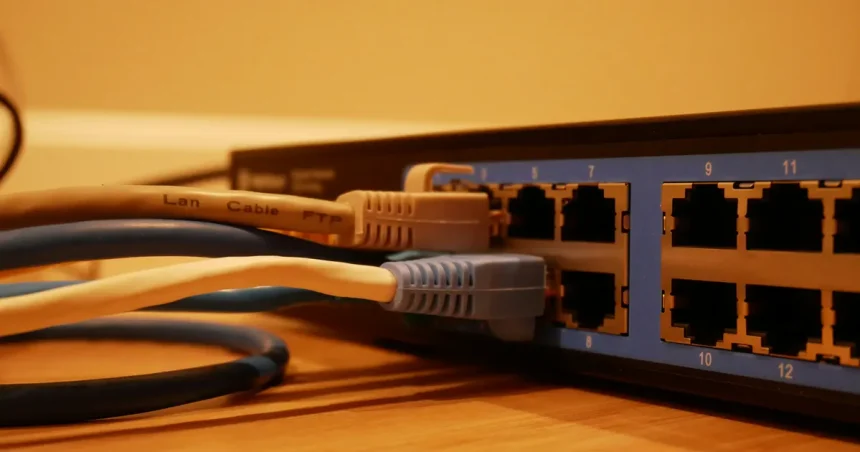
Beyond your ISP and router, consider the overall network infrastructure within your home. Running Ethernet cables to stationary, high-bandwidth devices like smart TVs, gaming consoles, or even security camera hubs can free up valuable Wi-Fi bandwidth for mobile and wireless smart devices. Integrating smart home hubs that support various communication protocols (e.g., Zigbee, Z-Wave, Thread) can reduce reliance on Wi-Fi for every single device, creating a more robust and resilient network. By proactively planning for increasing device counts and higher data demands, you ensure your smart home remains agile and adaptable to emerging technologies, providing a seamless and intelligent living experience for years to come without encountering frustrating connectivity limitations.
Key Takeaways
- Prioritize both download (100-200 Mbps) and upload (10-20 Mbps) speeds for a balanced smart home experience.
- High-bandwidth devices like 4K cameras and streaming services significantly impact network demand.
- Invest in a modern Wi-Fi 6 or Wi-Fi 6E router to efficiently manage multiple devices and reduce congestion.
- Optimize router placement, use mesh Wi-Fi for larger homes, and keep firmware updated for best performance.
- Future-proof your smart home with scalable fiber internet and consider wired connections for stationary devices.
- Regularly assess your device count and usage patterns to adjust your internet plan as needed.
Frequently Asked Questions
What is the minimum internet speed for a basic smart home?
For a basic smart home with a few smart plugs, lights, and a voice assistant, a download speed of 25-50 Mbps and an upload speed of 3-5 Mbps might suffice. However, this offers very little buffer for additional devices or concurrent streaming, so it’s often advisable to aim higher for a smoother experience.
Do smart cameras use a lot of internet speed?
Yes, smart security cameras, especially those streaming in 1080p or 4K, are among the highest bandwidth consumers in a smart home. They primarily demand significant upload speed (several Mbps per camera) for continuous video transmission to cloud storage, which can quickly add up with multiple devices.
Is Wi-Fi 6E necessary for smart homes?
While not strictly “necessary” for all smart homes today, Wi-Fi 6E offers substantial benefits by utilizing the 6 GHz band, providing dedicated, congestion-free channels for compatible devices. It’s particularly advantageous for high-bandwidth applications like 8K streaming, VR, and future-proofing your network for the growing number of smart devices expected by 2026.
How can I improve my smart home’s Wi-Fi signal?
To improve your smart home’s Wi-Fi signal, ensure your router is centrally located and free from obstructions. Consider upgrading to a mesh Wi-Fi system for whole-home coverage, use a dual-band or tri-band router to manage traffic, and regularly update your router’s firmware. You can also prioritize devices using QoS settings.
Should I consider fiber optic internet for my smart home?
Absolutely. Fiber optic internet is highly recommended for smart homes due to its superior speed, low latency, and often symmetrical upload and download speeds. This provides the most robust and future-proof connection, easily handling numerous smart devices, 4K streaming, online gaming, and large file uploads simultaneously without performance degradation.
Conclusion
Establishing the best internet speed recommendations for smart homes is a proactive step towards unlocking the full potential of your connected living space. From understanding the nuanced bandwidth demands of individual devices to strategically selecting a robust internet plan and a high-performance Wi-Fi router, every decision contributes to a seamless and responsive smart home ecosystem. As technology continues its rapid advancement, with more sophisticated devices emerging by 2026, investing in a reliable, high-speed, and future-proof internet connection will ensure your smart home remains intelligent, efficient, and truly enhances your daily life. By following these comprehensive guidelines, you can confidently build and maintain a smart home network that performs flawlessly now and for years to come.