
Finding the most effective router placement ideas for stronger coverage is essential in 2026, as our homes become increasingly reliant on seamless internet connectivity for remote work, smart appliances, and high-definition virtual reality streaming. Many homeowners mistakenly tuck their networking hardware into closets or behind furniture, inadvertently creating digital roadblocks that stifle signal strength and increase latency across their entire property. By understanding the physics of radio frequency propagation, you can strategically position your equipment to ensure every corner of your living space receives a robust and stable connection. This guide explores professional-grade strategies to eliminate dead zones and maximize the potential of your current hardware without needing expensive upgrades or technical expertise. Through careful planning and environmental adjustments, you can achieve a commercial-grade wireless experience in any domestic setting.
Centralizing Your Wireless Hub
Centralizing your wireless hub is the most foundational step in achieving a uniform signal across your entire floor plan. Because standard routers broadcast their radio frequency signals in an omnidirectional pattern, placing the unit in a corner effectively wastes half of its potential reach by broadcasting into the exterior walls or the yard. By positioning the device in the mathematical center of your home, you ensure that the radius of the signal covers the maximum possible indoor square footage. This approach is particularly vital in 2026 as Wi-Fi 7 becomes the standard, requiring precise spatial awareness to maintain the high-frequency 6GHz bands that are more susceptible to distance-related degradation than older legacy bands.
When selecting a central location, prioritize the areas where high-bandwidth activities occur most frequently, such as home offices or living rooms dedicated to 8K streaming. A central hallway or an open-concept dining area often serves as an ideal mounting point because these spaces typically have fewer immediate walls to obstruct the initial burst of the signal. If your home has a complex layout with multiple wings, you may need to adjust the center point slightly toward the rooms with the highest device density. This strategic alignment minimizes the number of vertical and horizontal barriers the signal must penetrate before reaching your primary devices, thereby significantly reducing packet loss and ensuring a more consistent user experience for all residents.
Elevation and Vertical Signal Spread
Elevation is a frequently overlooked factor when implementing effective router placement ideas for stronger coverage in a modern household. Most router antennas are designed to project signals slightly downward and outward, mimicking the shape of a large umbrella. If you place your router on the floor, you are essentially broadcasting a significant portion of your bandwidth into the foundation of your home, where it serves no functional purpose. By mounting the router at eye level or higher, such as on a tall bookshelf or a dedicated wall mount, you allow the radio waves to travel through the relatively clear air of the room before encountering furniture or other physical obstructions.
Higher placement also helps the signal clear the “clutter zone” found at the ground level of most rooms, which includes sofas, coffee tables, and storage bins. In two-story homes, placing the router near the ceiling of the first floor or the floor of the second floor can provide a more equitable distribution of bandwidth between levels. This vertical strategy ensures that the signal does not have to fight through as much flooring material, which often contains dense wood or metal supports. By lifting your hardware off the ground, you effectively extend its line-of-sight range, allowing the high-frequency waves to maintain their integrity over longer distances and through multiple interior partitions without significant speed drops.
Navigating Dense Structural Barriers
The materials used in your home’s construction play a pivotal role in how well your wireless signal penetrates different rooms. Materials like drywall and wood are relatively transparent to Wi-Fi signals, but denser substances like brick, concrete, and stone can act as significant shields. According to the FCC Consumer Guide, structural interference is one of the leading causes of localized dead zones in residential environments. If your home features a central chimney or heavy masonry walls, you must plan your router placement to avoid these obstacles entirely. Positioning the router in a way that it has a clear path through a doorway rather than through a stone fireplace can drastically improve performance.
Beyond masonry, metal and water are two of the most aggressive inhibitors of wireless signals found in the modern home. Large mirrors are particularly problematic because they contain a thin layer of metallic backing that reflects radio waves, causing signal “bouncing” and interference. Similarly, large fish tanks or indoor water features can absorb Wi-Fi signals almost entirely, creating a massive signal shadow behind them. To optimize your coverage, ensure that your router is not placed directly behind a large television, inside a metal cabinet, or adjacent to a kitchen pantry filled with canned goods. Maintaining a clear buffer zone around the device allows the signal to propagate freely before it hits any unavoidable structural challenges.
Reducing Electromagnetic Interference
Electromagnetic interference is a silent performance killer that can negate even the best router placement strategies. Many common household appliances operate on the same 2.4GHz frequency band used by older Wi-Fi standards and many smart home devices. Microwaves, cordless phones, and baby monitors are notorious for creating “noise” that disrupts the wireless data stream when they are in use. To maintain a clean signal, you should keep your router at least five to ten feet away from other high-powered electronics. This separation ensures that the router’s sensitive receivers are not overwhelmed by the electrical hum of your kitchen appliances or the power supply units of your home theater system.
In the connected landscape of 2026, the density of wireless devices in a single home can create internal congestion. Utilizing effective router placement ideas for stronger coverage involves more than just physical distance; it requires logical separation from other broadcasting hardware. For instance, placing your router directly next to a Bluetooth speaker or a Zigbee smart home hub can lead to overlapping signals that cause intermittent drops. By giving your router its own dedicated space, free from the immediate proximity of other transmitters, you allow its internal processors to manage traffic more efficiently. This reduction in local noise directly translates to lower latency in gaming and smoother video conferencing, as the hardware spends less time correcting errors caused by interference.
Optimizing External Antenna Angles
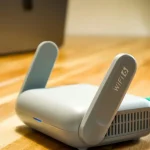
If your router features external antennas, their orientation is a powerful tool for fine-tuning the shape of your wireless coverage. Most users assume that pointing all antennas straight up is the best configuration, but this is rarely the case for multi-story or large-footprint homes. Antennas function best when they are perpendicular to the plane of the devices they are serving. For a single-story home, keeping the antennas vertical is generally effective because the signal radiates horizontally in a 360-degree pattern. However, adjusting the tilt of the antennas can help push the signal into specific areas that might otherwise be on the edge of the broadcast radius, ensuring that no corner is left without access. Research from IEEE Spectrum suggests that varied antenna polarization can significantly improve throughput in complex indoor environments.
Specialized Layouts for Multi-Level Properties
For homes with multiple floors, a “staggered” antenna approach is often the most effective way to bridge the vertical gap. By setting one antenna vertically and another horizontally, you create a signal pattern that reaches both across the floor and through the ceiling or floorboards. This dual-axis broadcast compensates for the way devices like tablets and smartphones are held, as their internal antennas may be oriented in different directions depending on the user’s grip. In a three-story home, this configuration is almost mandatory if the router is located on the middle floor, as it allows the signal to penetrate the attic and the basement simultaneously. This simple mechanical adjustment can often resolve connectivity issues in upstairs bedrooms without the need for additional hardware or software configuration changes.
Strategic Node Placement for Mesh
As we move further into 2026, many households are transitioning from single routers to mesh networking systems to cover larger areas. The effectiveness of a mesh system depends entirely on the placement of the secondary nodes relative to the primary hub. A common mistake is placing a node in a dead zone where the signal is already weak; instead, nodes should be placed halfway between the main router and the area where you need better coverage. This ensures the node receives a strong “backhaul” signal from the hub, which it can then rebroadcast with full strength to the surrounding rooms. Think of the nodes as relay runners in a race; they need to receive the baton clearly to maintain the necessary speed for the next leg.
When positioning mesh nodes, follow the same rules of elevation and obstruction avoidance that apply to the main router. Ideally, nodes should have a relatively clear line of sight to each other to maximize the efficiency of the wireless link between them. Avoid placing nodes inside closets or behind heavy furniture, as this forces the system to work harder to maintain the connection, leading to heat buildup and reduced data rates. By creating a triangular or circular web of nodes throughout your home, you can ensure that your devices always connect to the strongest possible source as you move from room to room. This seamless roaming capability is the hallmark of a well-designed 2026 home network, providing a consistent experience regardless of your physical location.
Key Takeaways
- Position the router in the mathematical center of your most-used living spaces to maximize the broadcast radius.
- Elevate the device on a high shelf or wall mount to allow the signal to travel over furniture and floor-level clutter.
- Avoid placing the router near large mirrors, fish tanks, or metal cabinets that reflect or absorb radio waves.
- Maintain a minimum distance of five feet from kitchen appliances and other electronics to prevent electromagnetic interference.
- Orient external antennas in a mix of vertical and horizontal positions to better serve multi-story homes and various device types.
- Place mesh nodes in areas with a clear line of sight to the main hub to ensure a high-speed backhaul connection.
Frequently Asked Questions
Can I hide my router in a decorative box to improve the look of my room?
While hiding a router in a decorative box might improve your home’s aesthetic, it is generally detrimental to your signal strength. Most decorative boxes are made of wood, plastic, or fabric, all of which absorb or deflect a portion of the Wi-Fi signal. Furthermore, routers generate heat during operation, and placing them in an enclosed box can lead to overheating, which throttles performance and shortens the lifespan of the hardware.
How many walls can a Wi-Fi signal pass through before it becomes unusable?
Generally, a standard Wi-Fi signal can pass through two to three standard drywall partitions before the speed and stability significantly degrade. However, if the walls are made of denser materials like brick, concrete, or lath and plaster, the signal may struggle to penetrate even a single wall. For 2026 standards like Wi-Fi 6E and Wi-Fi 7, the higher frequency bands have even less penetration power, making clear line-of-sight placement more important than ever.
Does the age of my router affect where I should place it?
Yes, the age of your router determines which frequencies it uses, which in turn affects its placement requirements. Older 2.4GHz routers have better range and can pass through walls more easily, but they are prone to interference and offer slower speeds. Modern routers using 5GHz and 6GHz bands offer incredible speeds but have a shorter range and are easily blocked by physical objects, requiring more central and elevated placement to function effectively.
Should I place my router near a window to get a better signal?
Placing a router near a window is usually a bad idea unless you are trying to provide internet to your backyard. Glass can reflect some signals, but more importantly, a window placement means half of your signal is being broadcast outside your home where it isn’t needed. Additionally, direct sunlight through a window can cause the router to overheat, leading to intermittent connection drops and hardware failure over time.
Is it better to mount a router on the wall or place it on a table?
Wall mounting is often superior to table placement because it naturally provides the elevation needed for a better signal spread. When a router is on a table, it is often surrounded by other objects that can block the signal. Wall mounting allows you to place the device higher up and in a more open area, reducing the number of immediate obstacles the radio waves must navigate as they leave the antennas.
Conclusion
Implementing effective router placement ideas for stronger coverage is one of the most cost-effective ways to enhance your digital lifestyle in 2026. By focusing on centralization, elevation, and the mitigation of physical and electronic interference, you can unlock the full potential of your internet service provider’s bandwidth. Remember that every home environment is unique, so do not be afraid to experiment with slight adjustments in position or antenna angle to find the “sweet spot” for your specific layout. A well-placed router not only provides faster speeds but also ensures a more reliable connection for the ever-growing number of smart devices in your household, creating a stable foundation for all your future technological needs.